Procurement Model
Last updated: December 1, 2025
OVERVIEW:
Ø Procurement in Innomaint follows a structured flow that ensures materials are requested, sourced, and issued efficiently.
Ø The workflow involves multiple roles such as End Users, Location Heads, and Super Admins or Store In-charge to manage internal inventory and purchase processes.
Ø This workflow enhances the standard procurement process by introducing Local Store and Central Store model. It ensures streamlined material availability, traceability, and accountability across store levels before initiating any external purchases.
WORKFLOW:
Ø Supplier Creation & Mapping with Assets/Spares is the basic step before procuring an asset or spare.
Ø Suppliers can be created manually from the Supplier section under procurement management module.
Ø They are also be created through Bulk Import using the standard Excel template available in the system.
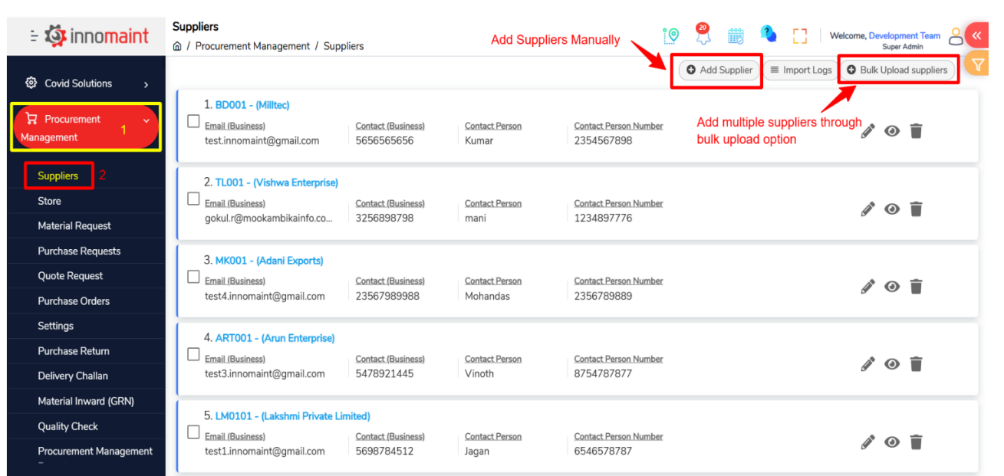
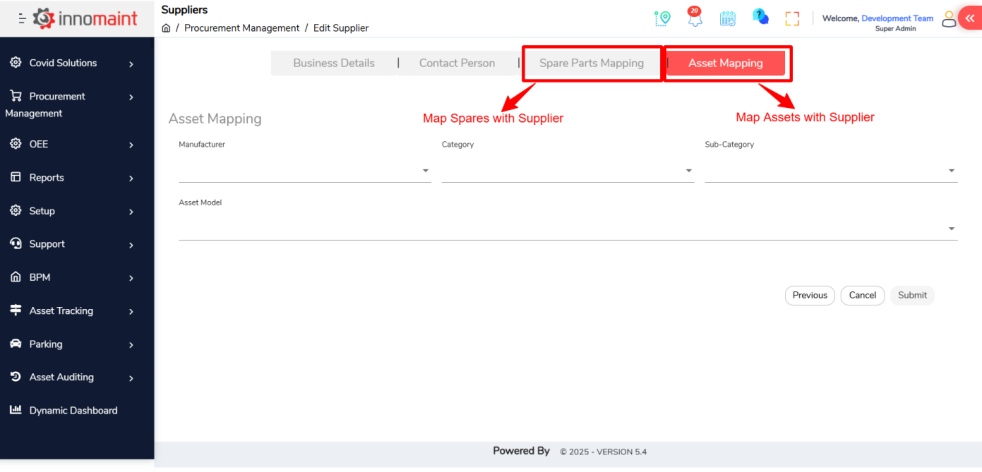
Ø Once suppliers are created/imported, Map relevant spares or assets to each supplier to enable quicker procurement processes.
Ø This mapping ensures only valid suppliers appear while requesting or comparing quotes for a spare.
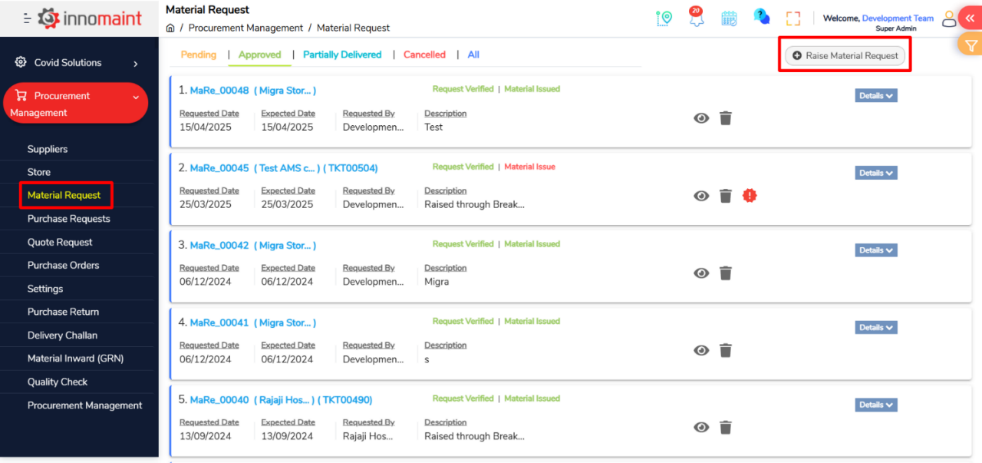
Ø The End User requests a spare or material (consumables) from their Local Store for preventive maintenance or breakdown ticket resolution.
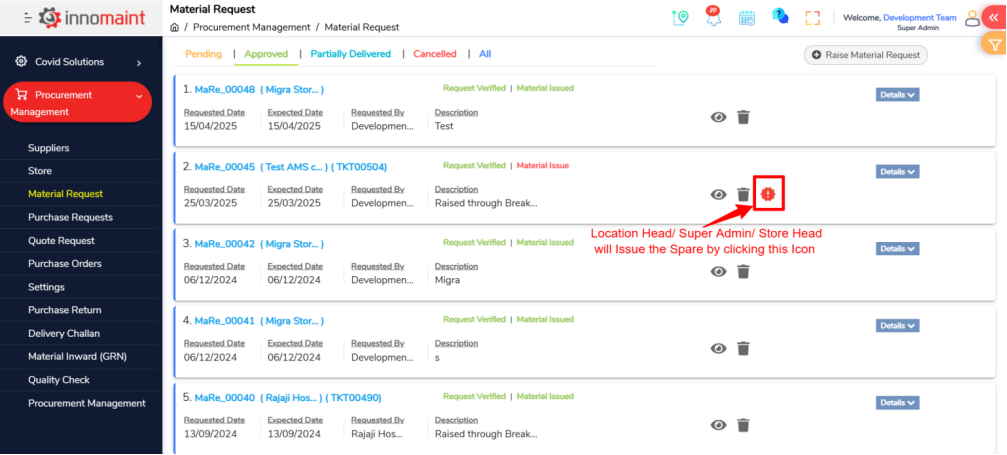
Ø The Location Head checks whether the requested spare is available locally.
Ø If available: The Location Head issues the spare directly to the End User
Ø If not available, then the Location Head raises a request for the spare from the Common Quantity (central store).
Ø The Super Admin/ Store Head verifies the stock in the common/ Central Store.
Ø If available: Super Admin/store head issues the spare to the Location Head, who then issues it to the End User.
Ø If not available: The system triggers a Purchase Request.
Ø A Purchase Request (PR) is created automatically or manually based on the stock unavailability.
Ø Note: You can create purchase request for assets manually and procure them in the same procedure.
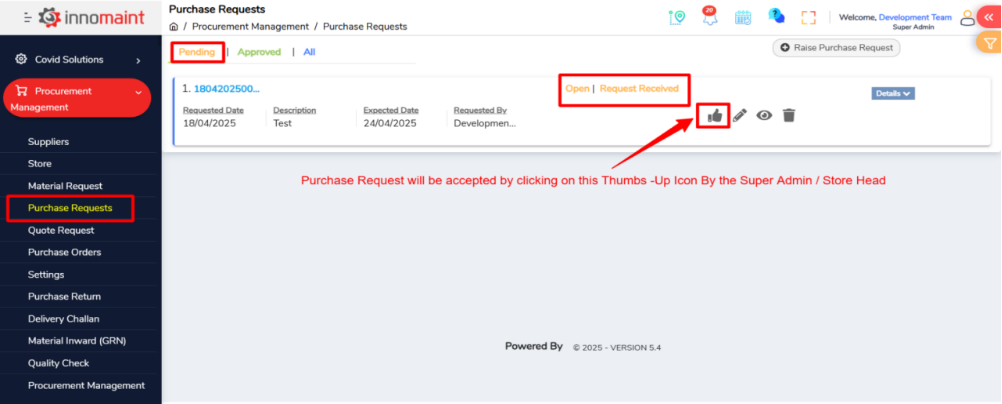
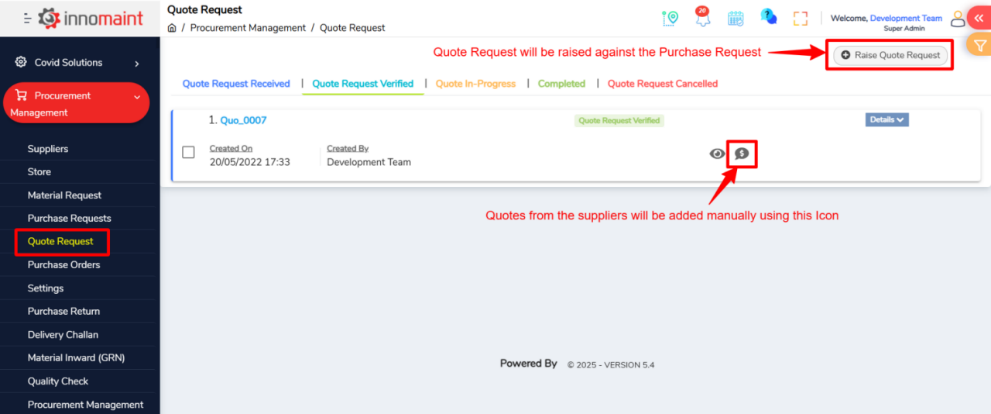
Ø The Quote Request is generated for the Purchase Request.
Ø Quotes will be collected from the suppliers and manually feed into system for comparison
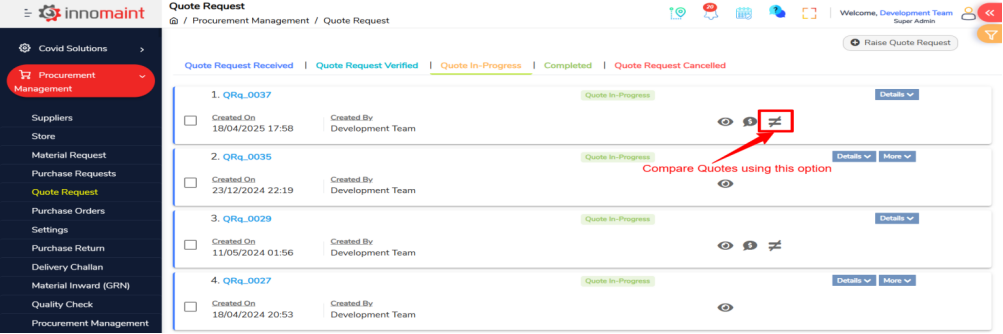
Ø The user can feed multiple quotes and compare them to identify the best offer and select the right supplier (Note: you can compare 3 suppliers at a time)
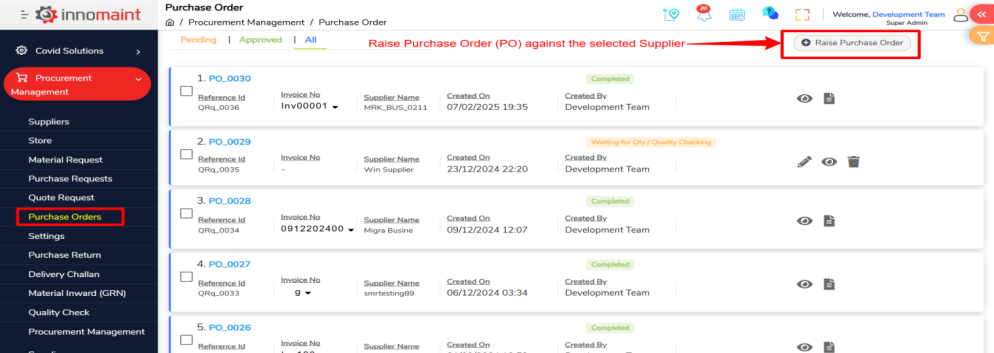
Ø Once supplier was finalized, a Purchase Order (PO) is raised for the spare/ Asset.
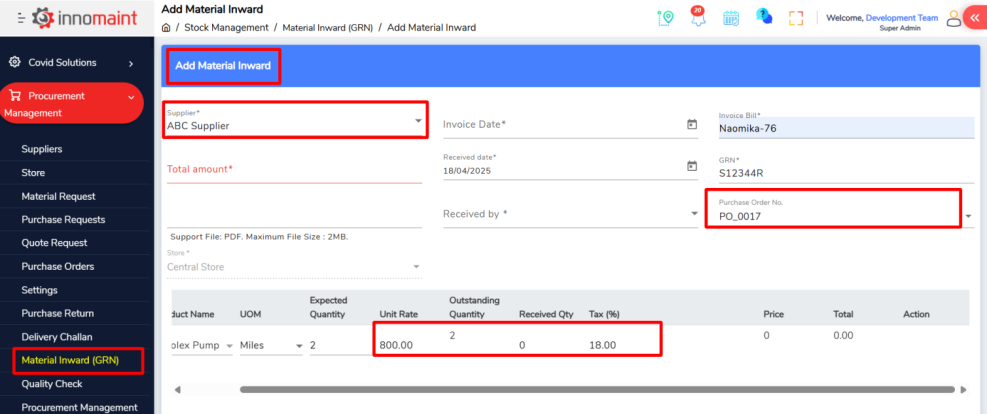
Ø Upon receiving the material from the supplier, the Material Inward Entry is recorded against the PO.
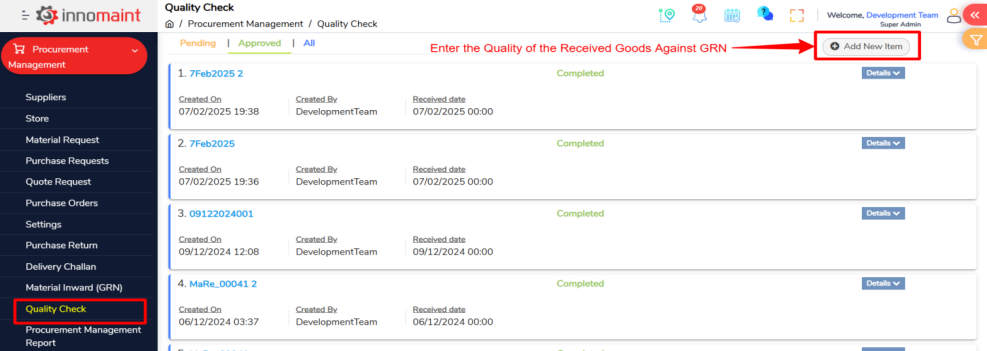
Ø A Quality Check (QC) is performed for the received material.
Ø If Passed: the stock will be added
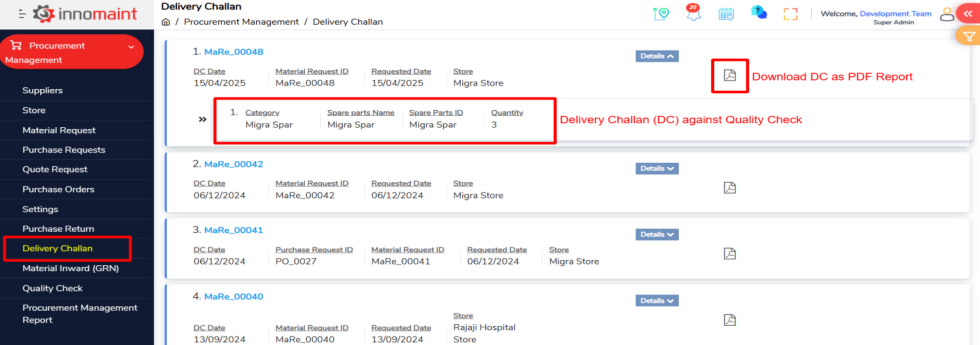
Ø If Failed: A Purchase Return is initiated and a delivery Challan (DC) will be raised.
Ø Upon successful QC, the spare is added to the Common Quantity inventory.
Ø The Super Admin/ Store head issues the spare to the Location Head.
Ø The Location Head issues the spare to the End User.
REPORTS:
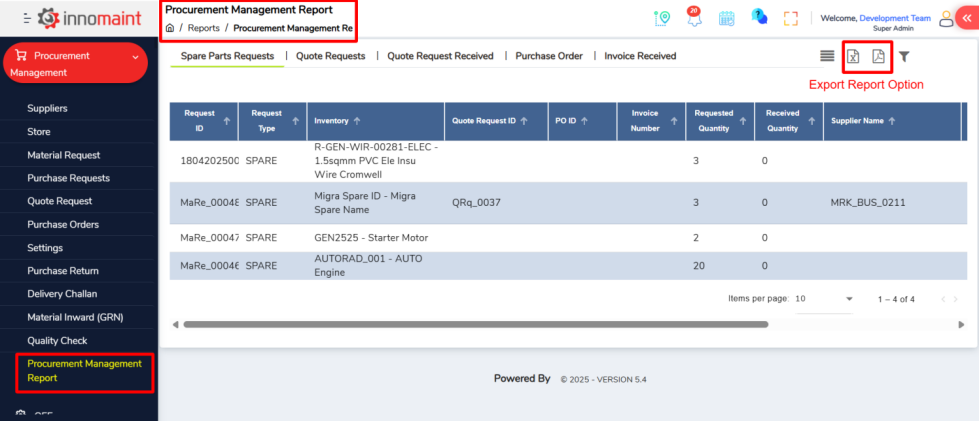
Innomaint provides a dedicated Reports section under the Procurement Management Module, allowing users to monitor and track key procurement activities effectively. These reports help ensure transparency, traceability, and timely decision-making.
Users can view the following reports:
Ø Spare Parts Requests – Track all requests raised by end users for spares.
Ø Quote Requests – View all quote requests sent to suppliers.
Ø Quote Request Received – Monitor received quotes for easy comparison and selection.
Ø Purchase Order – Access a complete list of raised Purchase Orders.
Ø Invoice Received – Review all supplier invoices linked with the respective POs.
Ø Export Reports- You can export the reports in Excel and PDF format at your convenience
These reports are accessible via the Reports menu and can be filtered and exported based on date range, supplier, asset, or store location.
CONCLUSION:
The Procurement Management with in Innomaint ensures a seamless flow from material requests to purchase and inventory handling. With structured roles, clear workflows, and comprehensive reporting, users can manage procurement efficiently while maintaining full traceability and control.